
.svg)
Payroll Setup
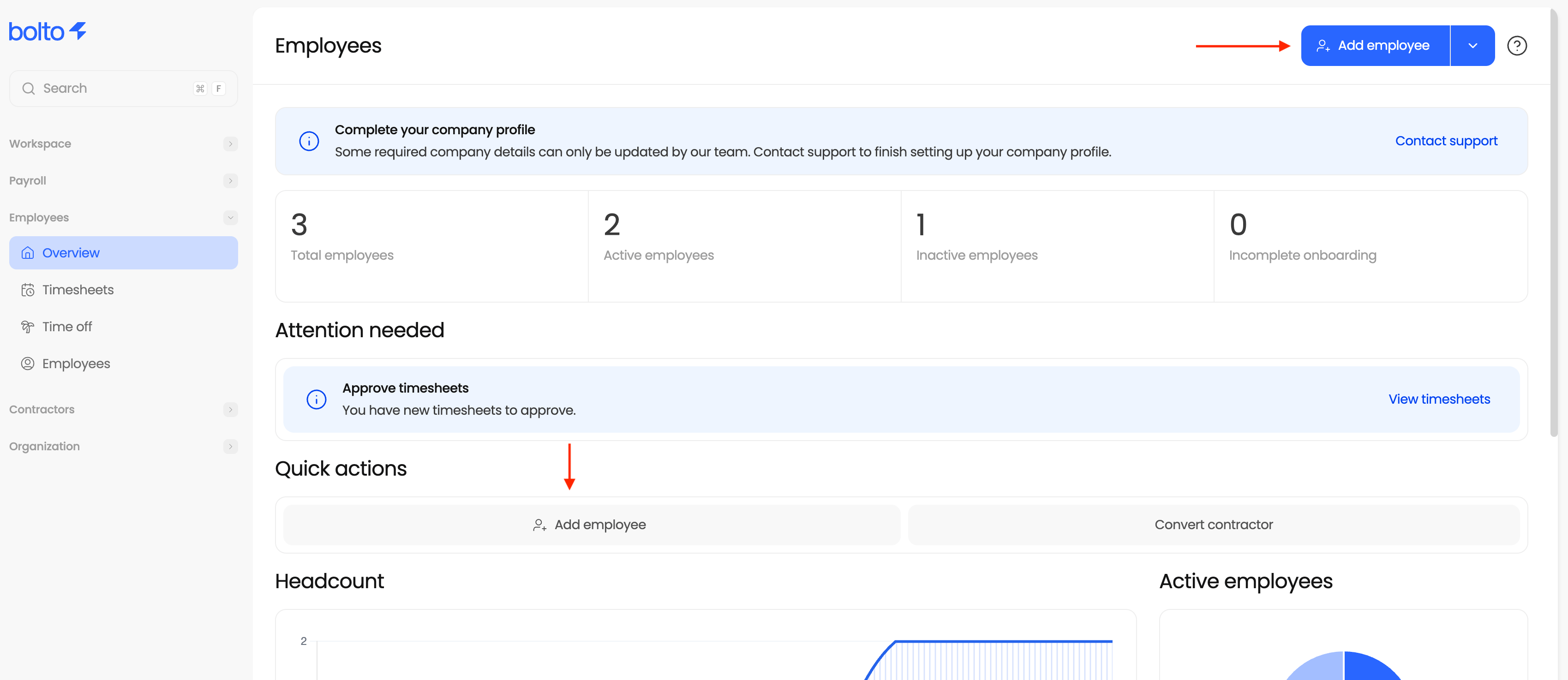
- Invite Employees:
- You will do so by clicking on the “Overview” or “Employees” tab under Employees on the left of your admin page.
- You will then select “Add Employee” and fill out the requested information.
- To Note: If you invite yourself as an employee, use the same email as your admin account to allow yourself to toggle between the two.
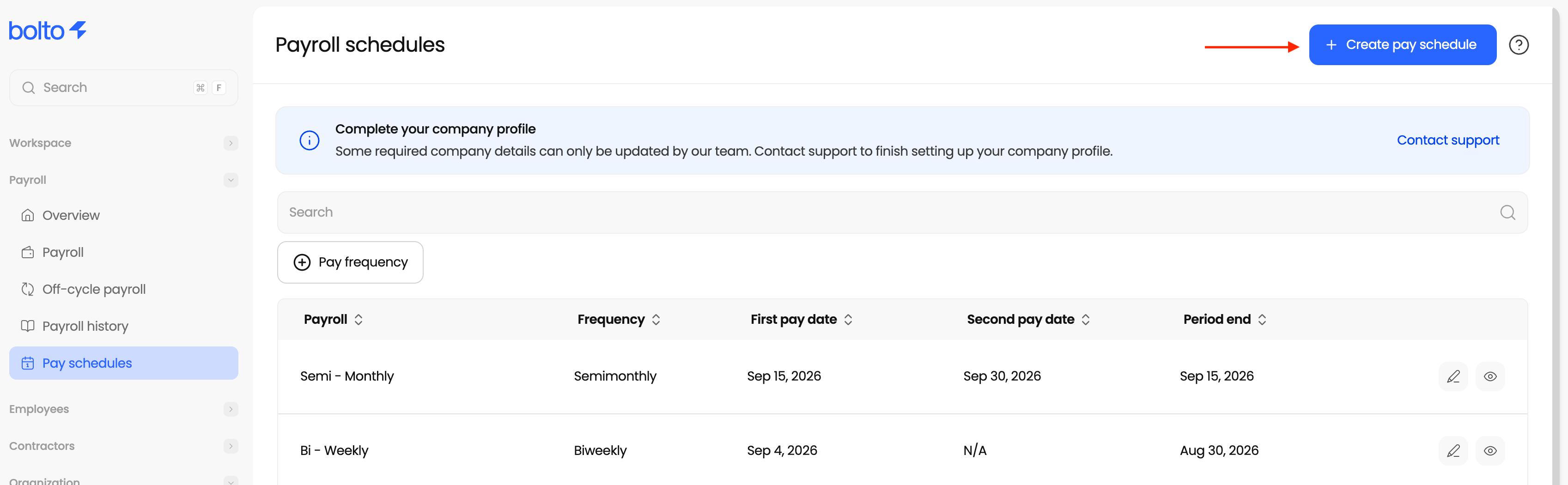
- Create a Pay Schedule:
- You will start by clicking “Pay schedules” under the Payroll tab on the left side of your admin page.
- You will then select “Create pay schedule” and input the desired pay cadence
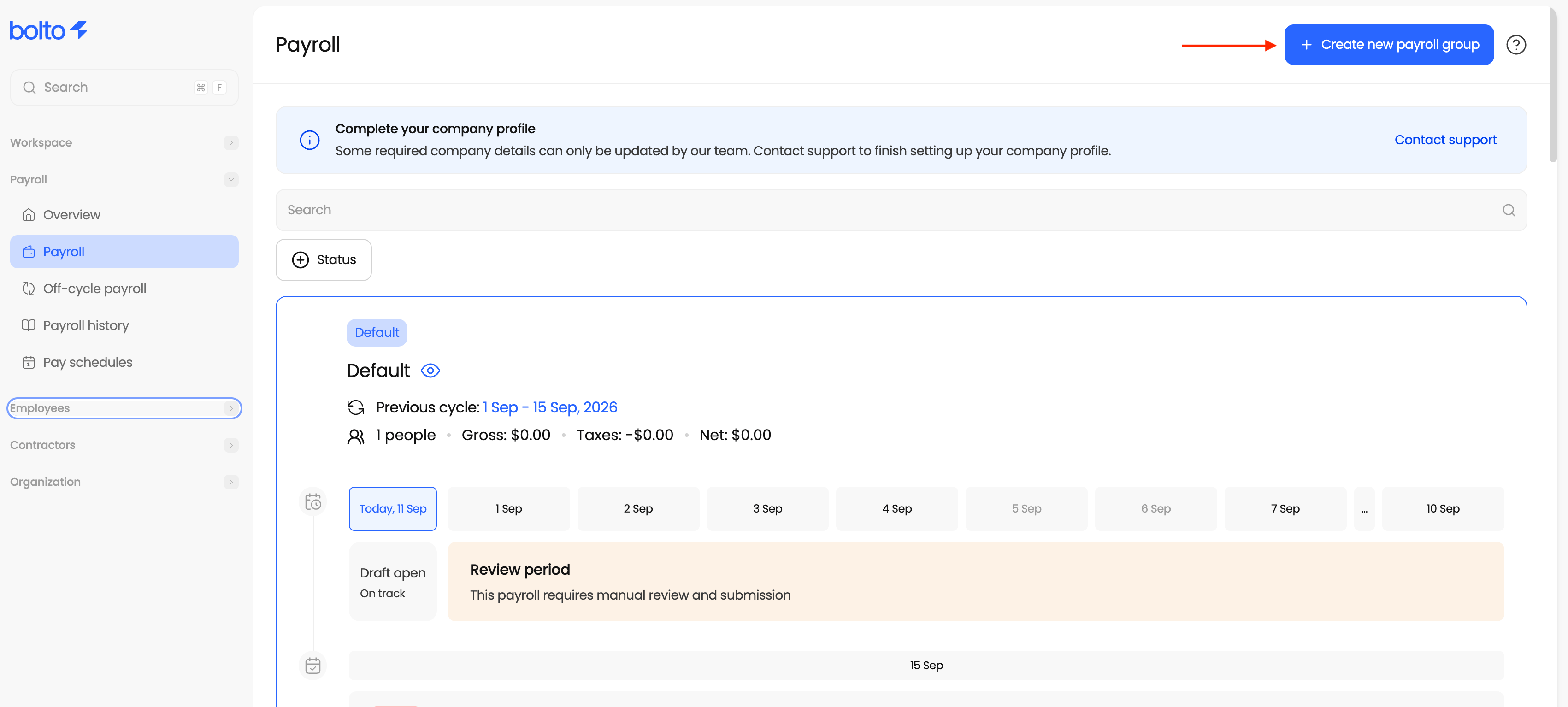
- Create a Payroll Group:
- You will start by clicking “Payroll” under the Payroll tab on the left side of your admin page.
- Next, select “Create New Payroll Group” and fill out the requested information including pay schedule, and adding employees.
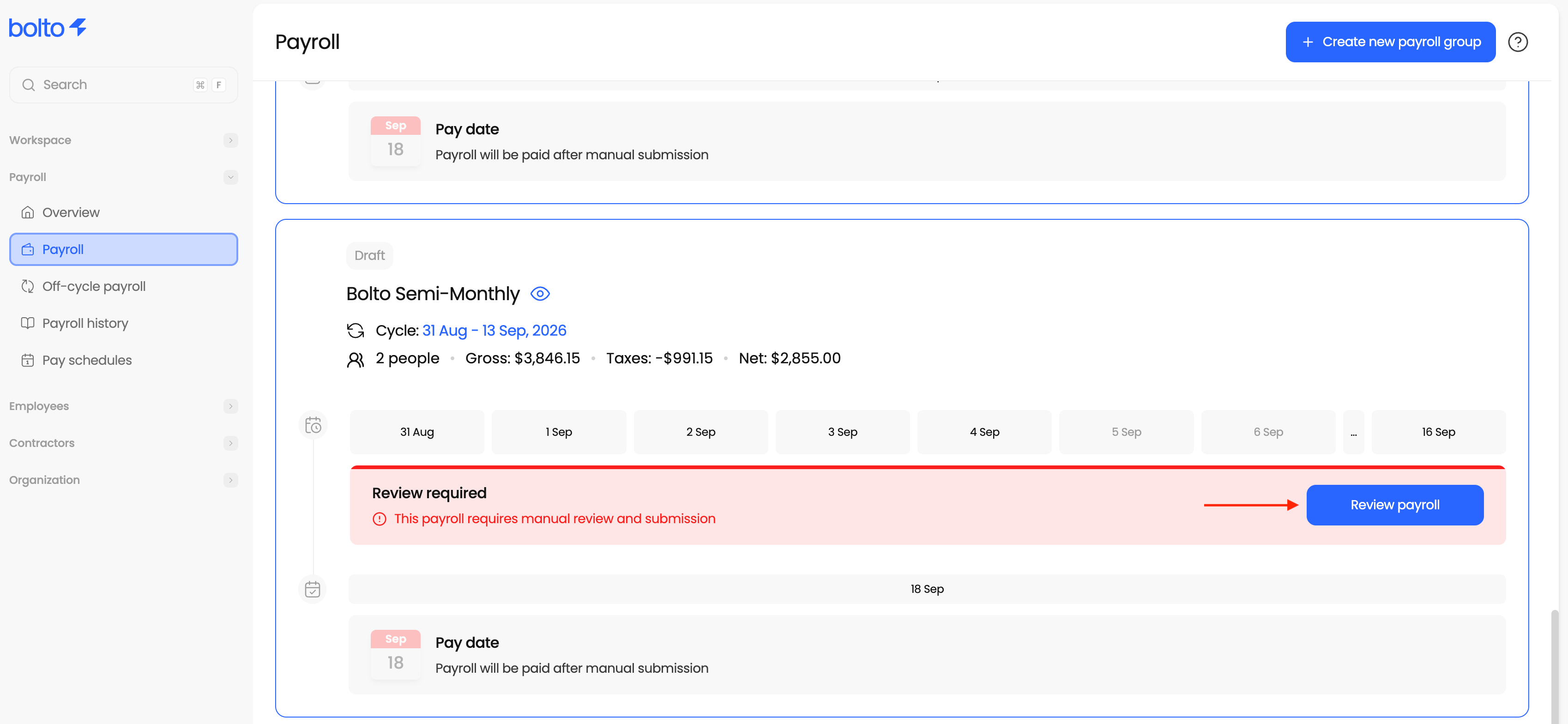
- Run Payroll:
- You will start by clicking “Payroll” under the Payroll tab on the left side of your admin page.
- Next, find the desired payroll group and select “Review Payroll”
- Confirm all information looks correct, then preview and submit
Set up any remaining items such as: